Universal Speedometer1.2
Publisher Description


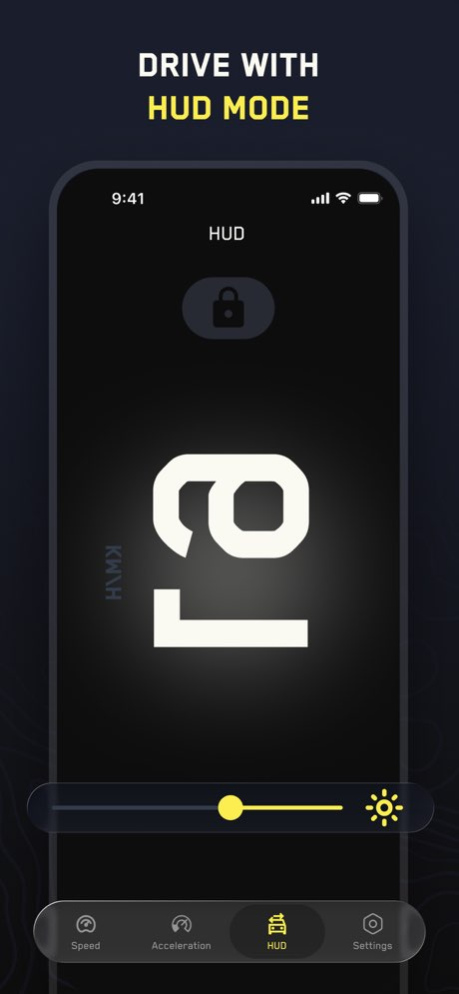
Universal Speedometer shows how fast you move. You can use it in a car, on a motorcycle, bicycle, scooter, boat, or even on a train.
- It has a speedometer that works in both analog and digital style. There’s also a compass so you always know your direction.
- You can see your current speed, your average speed, and the maximum speed during your trip. If you want, you can set a speed limit. The app will let you know when you go over it.
- There’s a simple tool to measure acceleration, how fast your vehicle picks up speed. And for drivers, the HUD mode projects the speed right onto the windshield, so you don’t have to look down at your phone.
- You can also choose the units you like: MPH, KMH, or Knots.
It’s useful for short rides in the city, long road trips, cycling sessions, or sailing. Just open the app, set your view, and keep track of your speed.
Version History - Bug fixes and performance improvements to ensure a smoother and more accurate speed tracking experience. 1.2 Aug 26 - Minor Bug Fix 1.1 10/28/2025 1.0 10/17/2025
About Universal Speedometer
The company that develops Universal Speedometer is Evgheni Mihailevschi. The latest version released by its developer is 1.2.
To install Universal Speedometer on your iOS device, just click the green Continue To App button above to start the installation process. The app is listed on our website since 2026-10-16 and was downloaded 0 times. We have already checked if the download link is safe, however for your own protection we recommend that you scan the downloaded app with your antivirus. Your antivirus may detect the Universal Speedometer as malware if the download link is broken.
How to install Universal Speedometer on your iOS device:
- Click on the Continue To App button on our website. This will redirect you to the App Store.
- Once the Universal Speedometer is shown in the iTunes listing of your iOS device, you can start its download and installation. Tap on the GET button to the right of the app to start downloading it.
- If you are not logged-in the iOS appstore app, you'll be prompted for your your Apple ID and/or password.
- After Universal Speedometer is downloaded, you'll see an INSTALL button to the right. Tap on it to start the actual installation of the iOS app.
- Once installation is finished you can tap on the OPEN button to start it. Its icon will also be added to your device home screen.
Program Details
System requirements
Download information
Pricing
Version History
version 1.2
posted on 2026-10-16
Version History - Bug fixes and performance improvements to ensure a smoother and more accurate speed tracking experience. 1.2 Aug 26 - Minor Bug Fix 1.1 10/28/2025 1.0 10/17/2025
version 1.1
posted on 2026-08-13
Version History - Minor Bug Fix 1.1 10/28/2025 1.0 10/17/2025
version 1.1
posted on 2025-10-28
- Minor Bug Fix
